


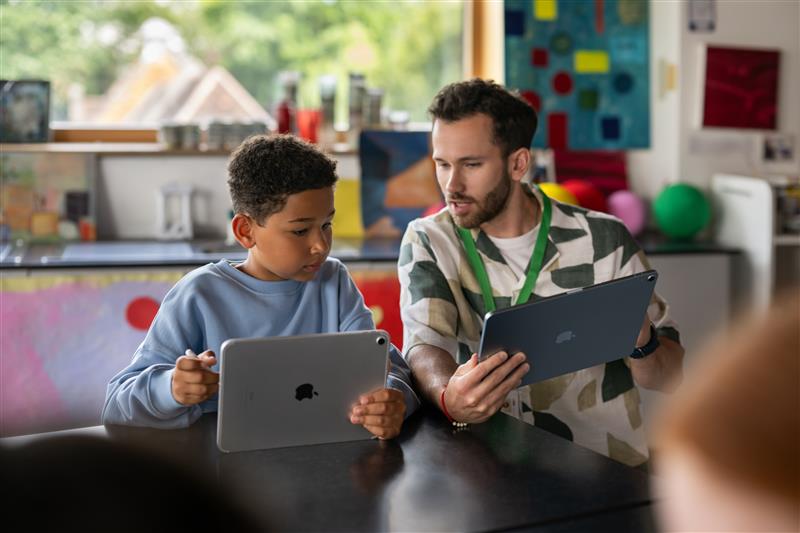
I know that you’re not supposed to have “favourites”, but my Year 1 Class were my favourite. I loved teaching Key Stage 1 (despite the fact that I ended up teaching Key Stage 2 more). It’s a special age range that is learning things for the very first time. It felt like there was a ‘eureka moment’ every day as young learners grasped new concepts and got excited about applying their skills. That enthusiasm is a double-edged sword. You can ride the wave of excitement and keep everybody engaged. However, the line between play and productivity can get very blurry, very quickly and as a result, I often found myself having to steer the class back towards the learning objectives.
Thankfully, I found support and constant inspiration in the form of a ‘Class Set of iPads’. The devices opened so many doors to all sorts of exciting learning experiences. In this blog, I’ll share some key ways that the iPad enabled early learning in my classroom.
Gamification
Parents and Teachers are often suspicious of educational app-based games. It makes sense. Seeing a child engaging in a game on an iPad looks a lot like a leisure activity, and many parents are cautious when it comes to screen time and gaming in general. However, Key Stage 1 pupils learn through play all of the time. Teachers strive to present information engagingly, and often, that results in enjoyable activities such as role play, matching games, table tasks, kinaesthetic exploration, building, collaborating and so on. So, we know learning through play is an effective strategy that keeps children on task and drives lesson outcomes.
iPad offers another way of learning through play. Phonics and Math games are particularly popular, but I found success in a range of other subjects as well. The best educational gaming apps have a role in assessment as well as being an engaging tool for learning. Many apps (such as ‘Hairy Phonics’) track ongoing skillsets and show clear progression in the form of individualised reports. Popular quizzing tools like ‘Kahoot’ feel like a game to the children, but they are really helping the teacher to build a picture of the class’s overall understanding. These early assessments are crucial in Key Stage 1 as they ultimately lay the foundation upon which all future learning is built.
Another nice feature of a straightforward educational game is that the children can access it immediately without any support. Children understand the language of games and can be left to it. This means that a set of iPads can become one activity in a series of station teaching. Teachers can work with a small group on something completely different whilst another group learn via an educational game. This maximises the potential for learning in the classroom, and whilst some parents might still wince at the idea of children having a set amount of time to ‘play’ on an iPad, it’s hard to argue with the results that come from gamification applications such as ‘TT Rockstars’ or ‘Swift Playgrounds’.
Intuition
In a classroom, the last thing you want is for any resource to actively distract from the task at hand. One of the things that I love about the iPad is that it’s hugely intuitive and easy to use. With a small amount of modelling, the children would be able to run with it. Crucially, many young learners would be able to build on their ideas and come to their own creative conclusions. I’m not convinced that there is any other device out there that offers the same level of seamless integration.
Partly, the ease of use is down to a range of age-appropriate applications available through the app store. Engaging in word processing for the first time can be tricky on an app like Word. But Book Creator and Pic Collage perfectly bridge the gap for first-time document creators. Editing films on iMovie is a bit complex for a year-one child, but creating a movie on the standard camera is well within reach. And then there are all the gamification applications and apps that are designed specifically for a key stage one age range. All of these options have been tried and tested to ensure that even the youngest learners can achieve great things on them.
The level of access is also due to the iOS design that underpins everything. You don’t have to have any prior knowledge or computational skills to operate an iPad. In fact, I would imagine that most children do not see an iPad as a computer. Generally, when you navigate around an Apple device, you’re never looking for words like ‘file’, ‘open’, ’shut down’, ‘delete’, ‘left click’, ‘shift’, ‘edit’ and so on. Everything is presented pictorially. If you want to delete something, you’re most likely looking to drag the item into a bin. If you want to save work, you’ll be looking for the share box icon. We take our computational knowledge for granted as adults. We’re used to the language and operations related to computers. But for young learners, ‘control alt delete’ means nothing to them. On an iPad, they don’t have to worry about any of that, and as a result, the technology can do what it is supposed to do - aid learning.
Engagement
Perhaps the most instantly obvious aspect of embedding iPads into day-to-day classroom practice is that they are very engaging. My class would often spontaneously cheer when the iPad trolley was wheeled into the room. It felt like a sneaky trick. The engagement levels during a technologically enriched lesson were way higher, even when I would present the class with fairly standard learning objectives. Sometimes the iPads would be a small part of a lesson, but the quality and pace of the learning would increase nonetheless. So, the question is why?
The answer is nuanced. On a simple level, the apps are often built with engagement in mind. They are kid-friendly and instantaneous tools that make learning fun. However, I think the key factor is personalisation. The children knew that they would have more choices available to them when the iPads were in the room. This is largely due to the device’s multimedia functionality. To complete a learning objective, children could film things, or they could use the microphone to record their ideas. Some might choose to doodle using the touchscreen or use Siri to note down ideas by voice. Wide-ranging apps with multiple content-capturing possibilities can take a fairly boring project and make it something far more interesting.
Up until this point, I’ve really only commented on the opportunities afforded to the children. However, an iPad in a teacher’s hand can be a powerful aid, especially when it comes to engagement. Augmented Reality tools and Virtual Reality apps can all be used to introduce new ideas to the children. The teacher can create incredible presentations via Keynote and embed Green Screen footage. I found huge successes in filming experiments or modelling tasks via the iPad. Even using screen mirroring to turn the iPad into a mobile visualiser would capture the classes attention.
You cannot underestimate the power of awe and wonder. Younger learners are seeing things and experiencing things for the first time. They are more excitable and interested intrinsically. Therefore, using the iPad to present new concepts creatively maximises learning potential and keeps the class focused. The iPad is an endlessly creative tool for both the teacher and learner to use, and, at the end of the day, learning tends to stick if the lesson is memorable. If technology isn’t making the learning activities more memorable and engaging, then you have to question why you’ve planned it into the lesson in the first place.
Control
Let’s continue to focus on the teacher for a moment. Teachers do an incredible job of enabling learning by eliminating anything that could get in the way of the lesson objectives. If a child is distracting the class, behaviour management will be deployed to minimise disruption. The children have set rules when moving around the classroom to ensure that the maximum amount of time is dedicated to learning. Even the resources out on the tables are carefully curated to aid progress. Teachers have to have a level of control in Key Stage 1 because younger learners are still developing their social skills. They can’t be expected to do the right thing all of the time, and they make mistakes like anyone else would. Having structures and processes in place keeps everyone on track. It should be no different when using technology. Thankfully, a Teacher / Pupil iPad set-up offers a layer of classroom management that is absolutely crucial.
Apple Classroom is an iPad management tool. The app itself sits on the teacher’s iPad and provides a direct connection to all of the pupils’ iPads. In effect, it enables the teacher to control all of the children’s devices all at once. Features like ‘lock’ and ‘view screens’ provide a safety net. The teacher can see all of the children’s iPad screens on their device and keep an eye on progress. To stop the children in their tracks, the ‘lock’ button can be applied to the entire class, groups or individuals. In both cases, the idea is to keep everyone focused on the task at hand. Some features go even further in that regard. The ‘navigate’ option on Apple Classroom can push all of the children onto a specific website, and the ‘launch’ button does the same for apps. Even better, the teacher can then ‘lock in app while using’, which means that the children are unable to deviate. With the best will in the world, children will naturally fall out of apps or open the wrong one as they search for the correct resource. Via Apple Classroom, the teacher is able to make the navigational jumps for the class.
I think it’s fair to say that there is a level of fear that comes with the use of technology in the classroom. Even in key stage 1, teachers will often remark on how much more the children know about the devices than they do. This fear shouldn’t hamper the class’s technological progress. Apple Classroom can offer enough control to calm the nerves of an apprehensive teacher.
Having said all of that, I would argue that letting go of the reins is essential as well. Letting the children explore and discover for themselves is important for their digital literacy progress. That’s why ‘view screens’ is perhaps the best tool built into Apple Classroom. You can have your cake and eat it. Let the children explore whilst also having a watchful eye over their e-safety.
Learning doesn’t just happen. Teachers are constantly setting up the path for the children to follow. That path can be an uphill struggle at times. It’s also inevitable that learners will go off the beaten track every so often. So, every teacher needs the best map, the greatest compass and every snack under the sun to keep their young learners from straying too far. The iPad can absolutely be all of those things. It can make learning fun. It is accessible to every learner. It can hold attention and keep children engaged whilst the teacher artfully steers the lesson in the right direction. All this on a device that can go anywhere and be an integral part of any subject. When used correctly, the iPad can become so ingrained that it becomes as natural to use as a pen and paper. However, it can do a lot more to enable learning than ink and a copybook.